Login   Register  
HOME FEATURES SUPPORT MODELS DOWNLOADS SHOP RESELLERS TUTORIALS CONTACT
 
Qualcomm Device Storage Info Reader (QcomStorageInfoReader)
 
Version: 1.26.719.2   Views: 1518
Type: Tools Software   Size: 1.62MMD5: f7dfb47911d03565abadece9d62073d7
Release date: 2026/07/20   Support OS: WinXP, Win7, Win8, Win10, Win11 (32/64 Bit)
 
 
DOWNLOAD
 
Software Tags:
#Tools #Xiaomi #OPPO #VIVO #Qualcomm #MTK #Android
 
Software Details:
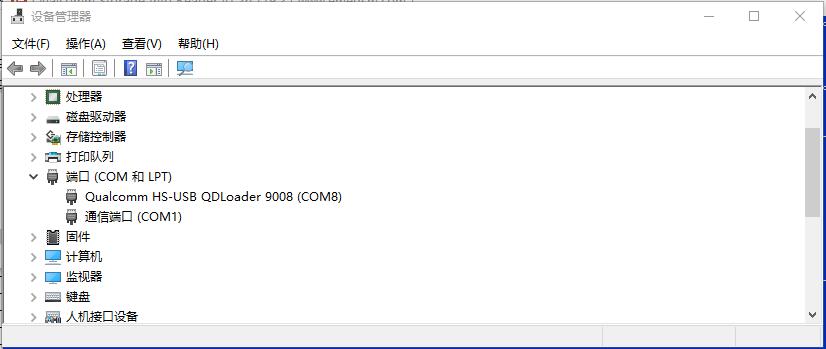
Step 1: Put device into EDL mode, check port details via device manage


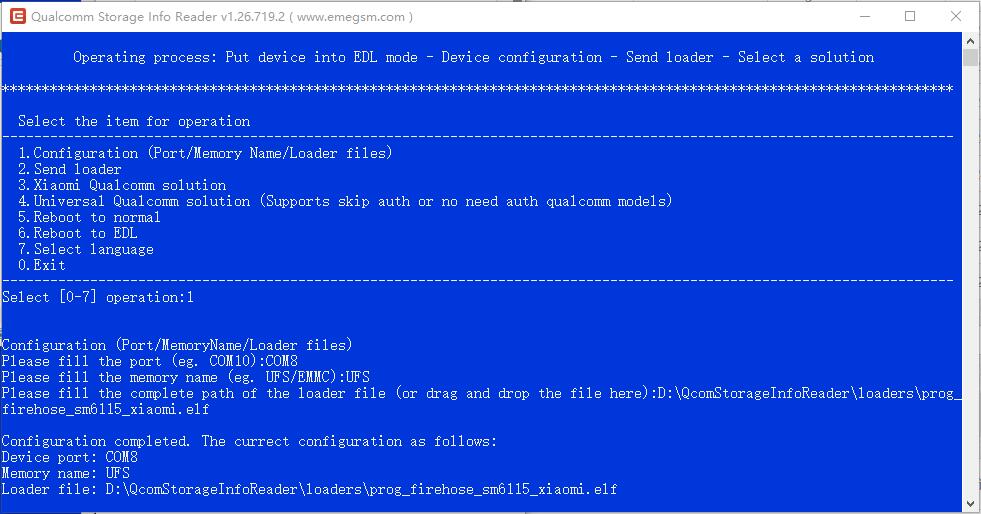
Step 2: Configuration (Port/Memory Name/Loader files)
TIPS: Please get loader files from the firmware (or the loaders directory) for Xiaomi Snapdragon 8 GEN2, 8 ELITE models, Do not use "No Auth" loader files!!!


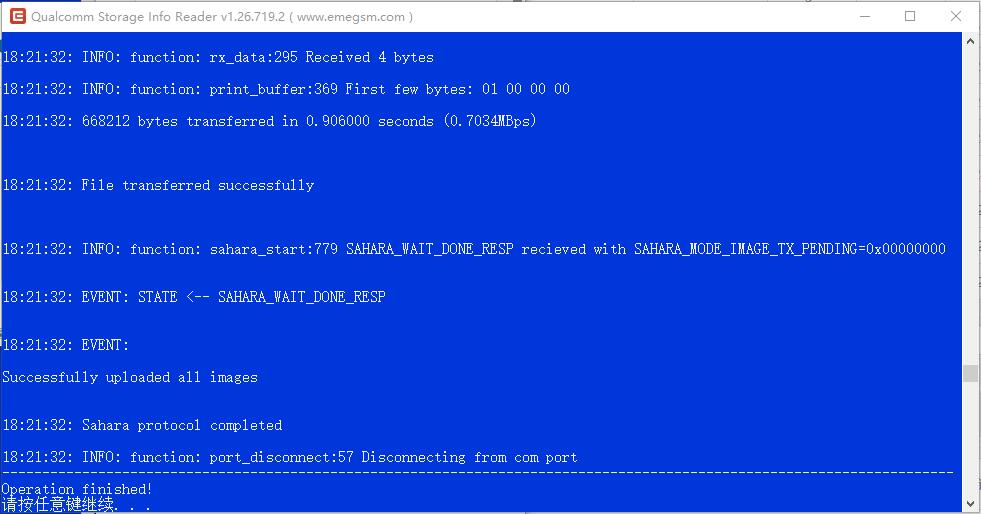
Step 3: Send loader


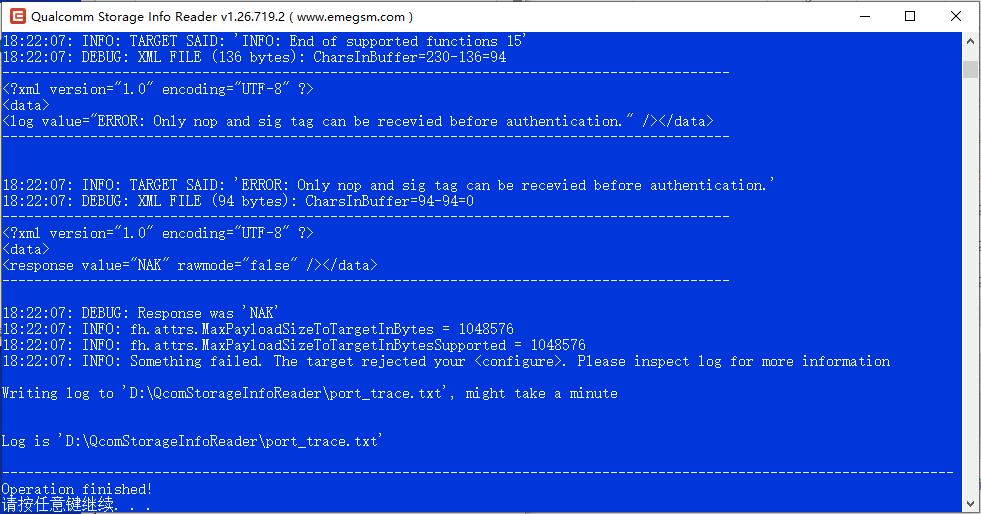
Step 4: Choose the solution to read storage info
1. Xiaomi Qualcomm solution (Supports all xiaomi qualcomm devices)
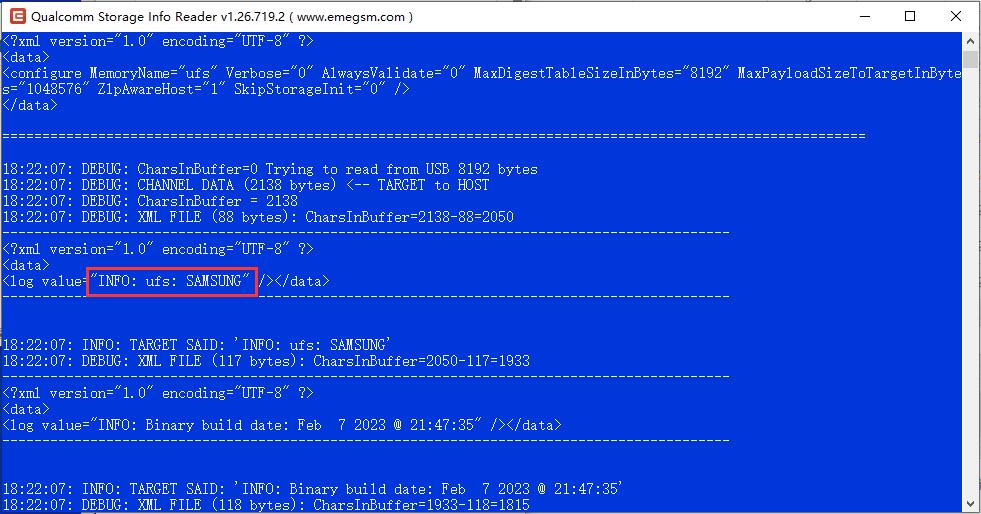
1). Select "Xiaomi Qualcomm solution", waiting operation finished

2). Drag the "scroll bar" upwards to find the storage info as follow

TIPS: According to the above storage information INFO: ufs: SAMSUNG, It's means currect device using Samsung UFS storage

2. Universal Qualcomm solution (Supports skip auth or no need auth qualcomm models)
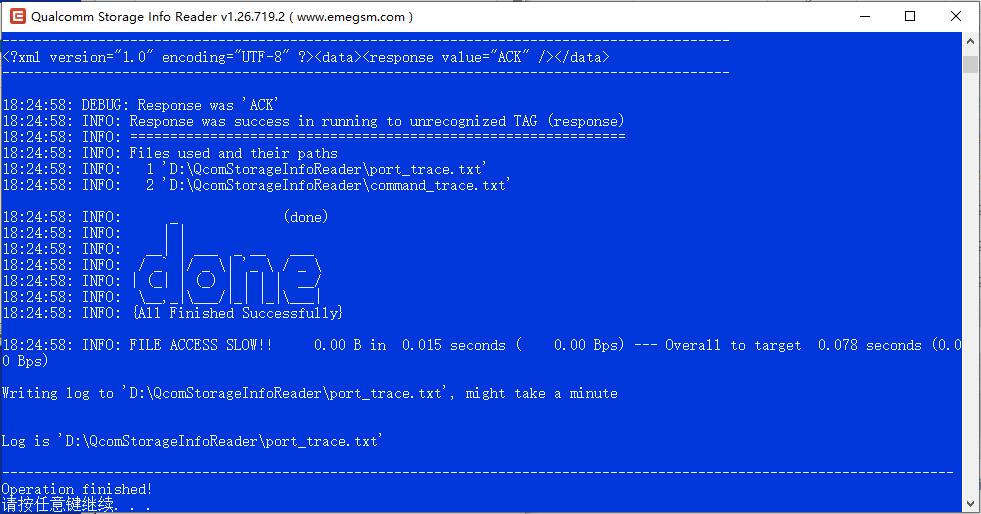
1). Select "Universal Qualcomm solution", waiting operation finished

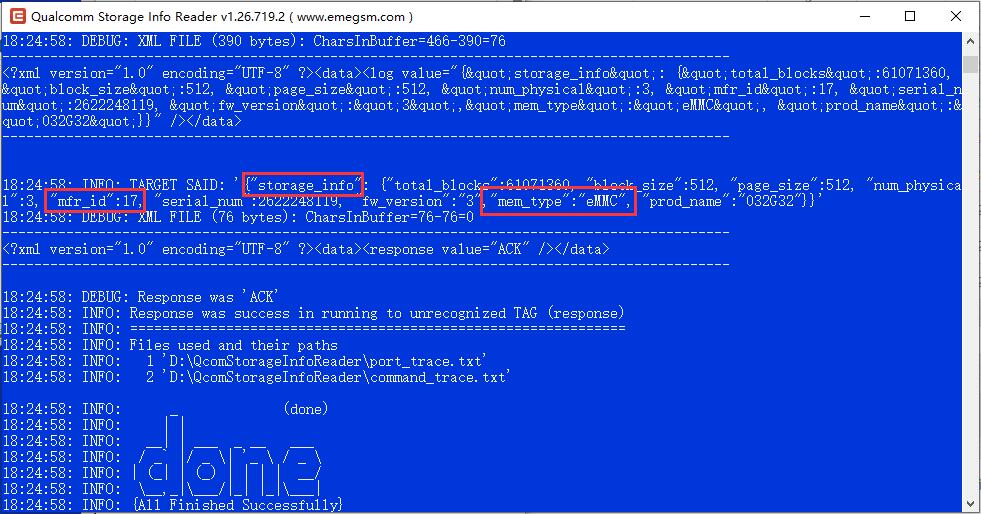
2). Drag the "scroll bar" upwards to find the "storage_info" as follow

Storage Manufacturer ID Reference Table
Memory Type
(mem_type)
Manufacturer ID
(mfr_id, manufacturer_id)
Manufacturer Name (EN)
Manufacturer Name (CN)
NAND/EMMC
0x01 AMD/Spansion 飞索
0x03 SanDisk (former Western Digital) 闪迪 (原西部数据)
0x11 Kioxia (former Toshiba) 铠侠 (原东芝)
0x17 SK Hynix 海力士
0x2c Micron 美光
0x8c Intel 英特尔
0x98 Toshiba (old ID) 东芝老ID
0xEC Samsung 三星
0xC2 Macronix 旺宏
0xC8 GigaDevice 兆易创新
0xEF Winbond 华邦电子
0xBF SST/Microchip 微芯
0x20 STMicro/Numonyx 意法
0xAE ONT 江波龙
0xCD Zetta 泽达存储
0x0B XTX 芯天下
0xA1 Fudan Micro 复旦微
SPI/NOR
0x01 AMD/Spansion 飞索
0x1F Microchip Atmel 微芯
0x20 ST/Numonyx 意法
0x2C Micron 美光
0xC2 Macronix 旺宏
0xC8 GigaDevice 兆易创新
0xCD Zetta 泽达
0xEF Winbond 华邦
0xBF SST 微芯
0x8D ISSI 芯成 (矽成)
UFS
0x1AD SK Hynix 海力士
0x1CE Samsung 三星
0x12C Micron 美光
0x198 Kioxia 铠侠(东芝)
0x145 Western Digital 西数(闪迪)
TIPS: According to the above storage information mfr_id:17, mem_type:eMMC, It's means currect device using SKHynix EMMC storage


HOME
 
BACK
 
TOP
 
 
Find Software!
 
 
Installation instructions

The EMT is a simple and comprehensive application which can be used after just a quick installcation. We recommend that you read the "Support OS" requirements on the left side carefully, In order to avoid unnecessary trouble for your installation!

You can find the complete installation instructions right here.

 
LEARN MORE
 
Popular softs
  Installer 42  
  Drivers 3  
  Tools Software 2  
  Other Software 0  
 
Popular tags
#Installer #Drivers #Tools #Xiaomi #OPPO #VIVO #Qualcomm #MTK #Android


KEY FEATURES
Read Information
Factory Reset (Screen Lock)
Reset FRP (Google Lock)
Unlock/Relock Bootloader
Partition File Manager
Read/Erase/Write Partition (Flash)
Factory Reset without data loss
Read/Reset Screenlocks
Disable/Enable Screenlock
Read/Browse Userdata
More>>
 
SUPPORTED MODULES
Xiaomi
OPPO
VIVO
Samsung
OnePlus
Smartisan
Lenovo
Qualcomm
MTK
Android
Programmer
More>>
 
LICENCES
Trial Edition
Standard Edition
Professional Edition
 
NAVIGATION
Features
Support Models
Downloads
Resellers
Tutorials
 
CONTACT
Our support team is ready to help you with any questions or suggests you may have! if you have any problems or suggests for EMT, please contact us on service time. The official support language is English.
 
1651764897
emegsm@hotmail.com
emegsm@hotmail.com
  It is available on working days: 14:00~21:00 (GMT+8)
 
© 2026 EmeGSM.com, All Rights Reserved.  湘公网安备 43019002001029号  湘ICP备19016207号-1