Method 2: Getting storage info via enter *#*#284#*#* in the dailer
TIPS: This solution supports Xiaomi series models that can boot into the desktop!
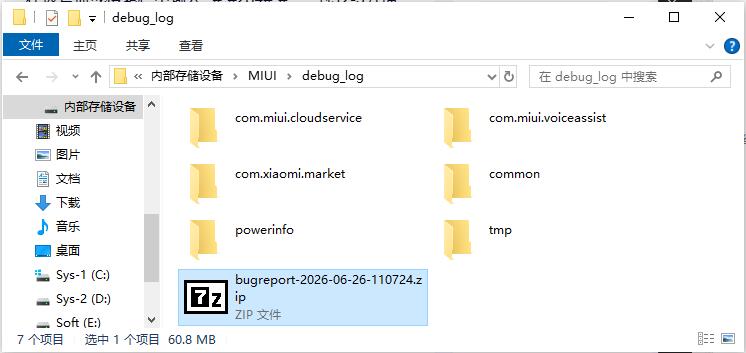
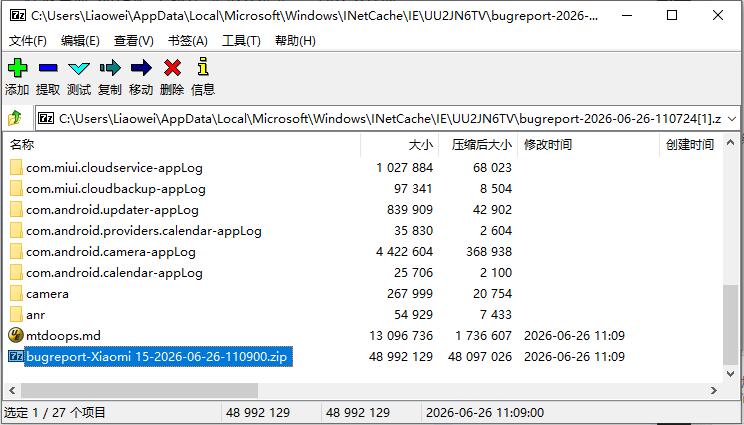
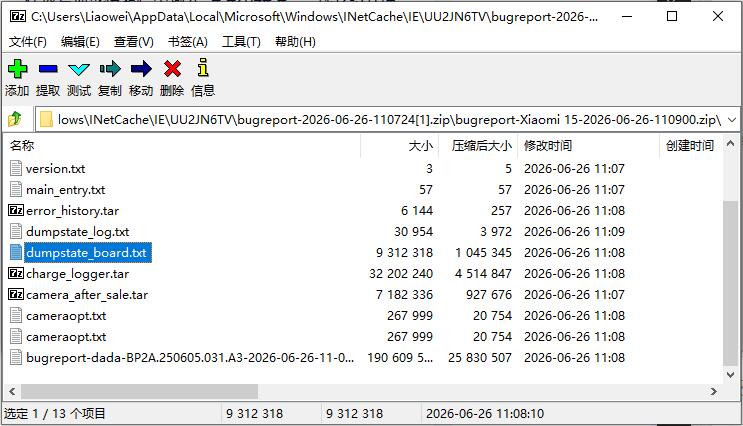
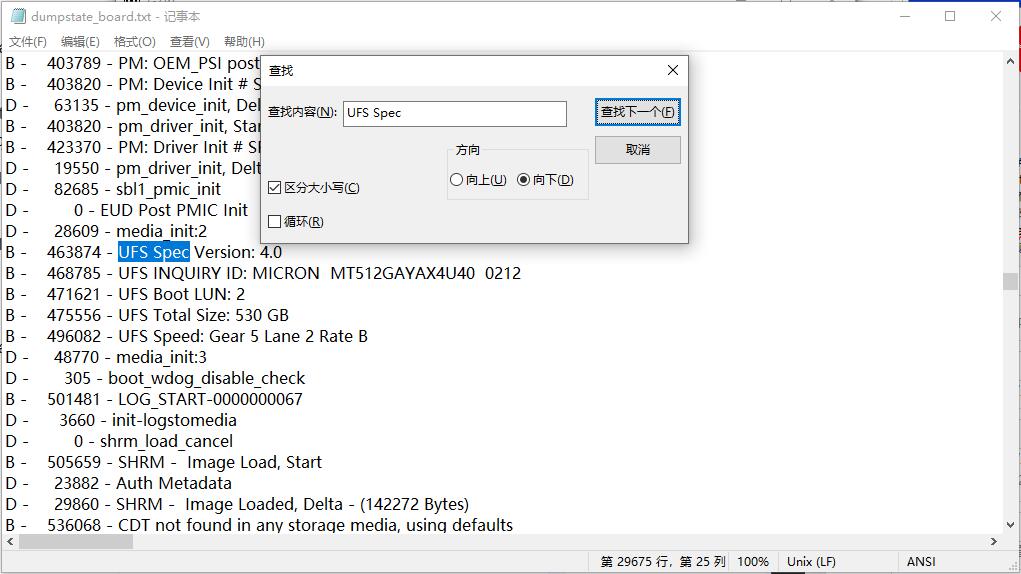
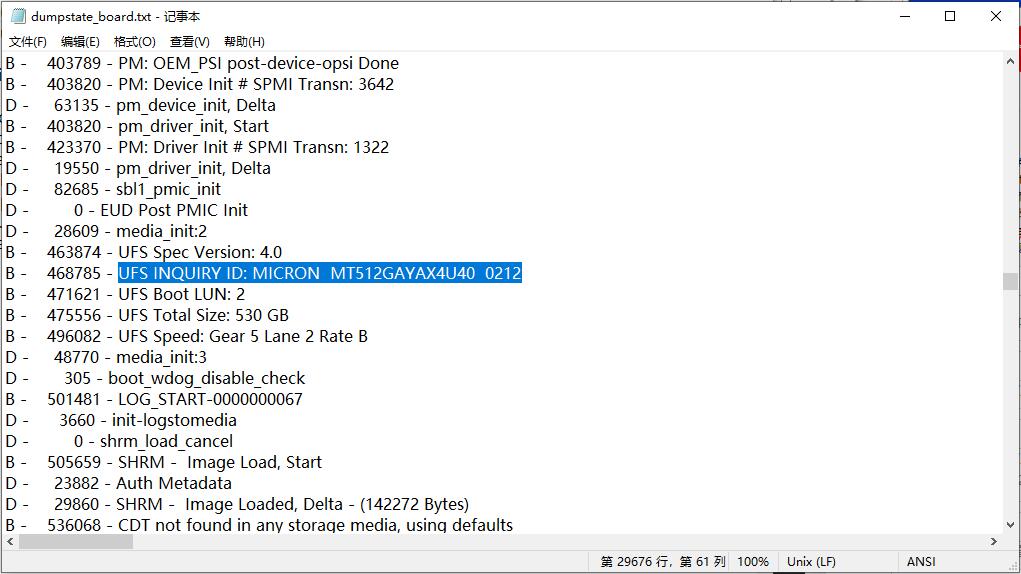
Operating Procedure: 1. Enter *#*#284#*#* in the dailer, waiting 2-3 minutes, open the file manager. 2. Go to the Internal Storage/MIUI/debug_log, open the zip file named "bugreport" 3. Scroll to the bottom, open the second zip file named "bugreport" 4. Open the file named "dumpstate_board.txt" 5. In that file, search the "UFS Spec", the below it will contain the storage details According the storage info MICRON MT512GAYAX4U40 0212, It's means currect device using MICRON UFS Storage
Method 3: Getting storage info via storage chip marking
TIPS: This solution requires disassembly, non-professionals should not attempt it!!!
Operating Procedure: 1. Disassemble the device to check the storage chip marking 2. Search the storage chip marking to getting device storage info TH: Toshiba / Kioxia KL: Samsung MT: Micron HN: SKHynix
TIPS: Storage chip marking MT512GAYAX4U40, It's means currect storage is MICRON Storage
HOME
BACK
TOP
Find Answer!
EMT Official Forum
This is our official english forum. We recommend that all users learn EMT here, because our after-sales will answer all users questions here, and you can learn more about products here.
OFFICIAL FORUM (GSMHOSTING)
OFFICIAL FORUM (MARTVIEW)
Problem not solved?
If the support page does not find the answer to your question. If you want to share your success stories on the support page, please do not hesitate to contact us, This will help you and other users to use EMT more effectively.
Our support team is ready to help you with any questions or suggests you may have! if you have any problems or suggests for EMT, please contact us on service time. The official support language is English.